


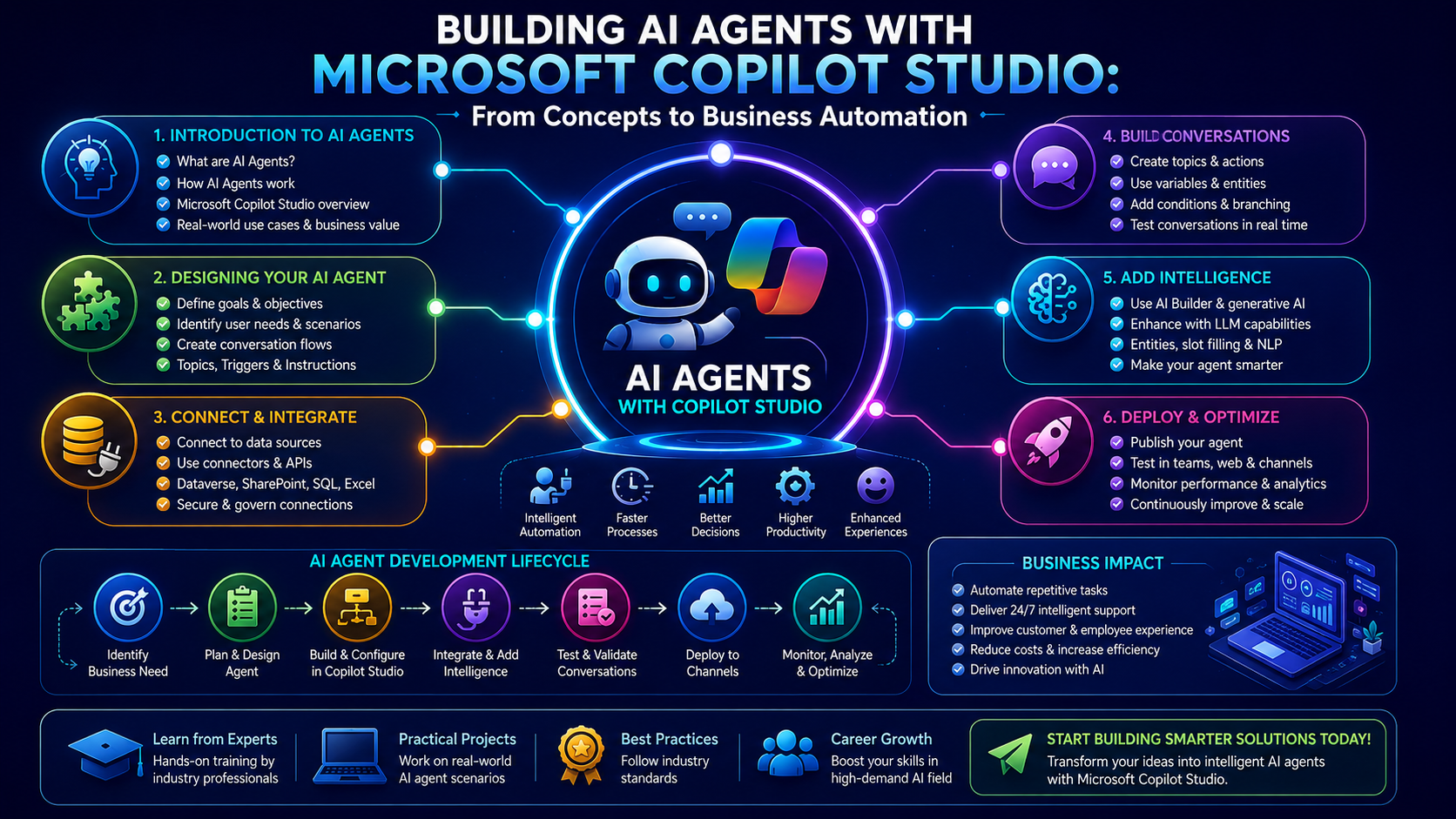
Artificial Intelligence is rapidly transforming the way businesses operate, and in this week's Team Academy session, learners took a deep dive into one of the most exciting technologies shaping the future of work—AI Agents.
The class focused on designing, building, and configuring AI agents using Microsoft Copilot Studio, with practical demonstrations on creating intelligent assistants capable of supporting real business processes.
🚀 What Are AI Agents?
Participants explored the fundamentals of AI agents and how they differ from traditional chatbots.
An AI agent can:
-
Understand user requests
-
Access knowledge sources
-
Follow predefined instructions
-
Automate repetitive tasks
-
Assist with decision support
-
Integrate with business systems
The session emphasized that successful AI agents depend on three key components:
✅ Clear Instructions
✅ Reliable Knowledge Sources
✅ Well-Defined Business Processes
Without these foundations, even the most advanced AI model cannot consistently deliver valuable results.
💼 Creating a Trade Finance AI Agent
One of the practical demonstrations involved building a Trade Finance Expert Agent capable of retrieving information related to:
-
Letters of Credit (LC)
-
Trade Finance Products
-
Banking Rules and Regulations
-
International Trade Documentation
Participants learned that simply connecting knowledge sources is not enough.
To provide meaningful assistance, AI agents must first ask qualifying questions such as:
-
What product is being imported or exported?
-
What is the transaction value?
-
Who is the supplier?
-
Which country is involved?
-
What type of trade finance solution is required?
This structured approach helps agents provide more accurate and business-relevant responses.
🔄 Designing Better Conversation Flows
A major focus of the session was conversation design.
Learners discovered how to:
-
Create greeting messages
-
Configure suggested prompts
-
Build guided user journeys
-
Design qualification workflows
-
Develop structured response systems
The class demonstrated how detailed instructions and sub-instructions help AI agents stay focused on specific business objectives rather than generating generic responses.
📋 Automating Business Processes with AI
The training highlighted how organizations can use AI agents to streamline operations.
Examples included:
📧 Email Management
-
Inbox organization
-
Email categorization
-
Automated responses
-
Follow-up reminders
📅 Calendar Coordination
-
Meeting scheduling
-
Appointment management
-
Task reminders
📊 Financial Planning Support
-
Customer qualification
-
Information collection
-
Consultation routing
-
Process automation
Participants learned that AI agents work best when they support clearly defined business workflows.
🧠 AI Agents Need Human Guidance
One of the most important lessons from the session was understanding the role of human oversight.
While AI can:
✔ Analyze large amounts of information
✔ Process repetitive tasks quickly
✔ Improve productivity
It should not:
❌ Make final business decisions independently
❌ Operate without clear boundaries
❌ Replace human accountability
The discussion emphasized that successful AI implementation requires humans to remain in control while using AI as a productivity multiplier.
⚙️ Understanding Copilot Studio & Microsoft 365 Integration
The class also explored how AI agents can integrate with Microsoft 365 tools.
Potential use cases include:
-
Outlook email management
-
Teams collaboration
-
Calendar scheduling
-
Document retrieval
-
Workflow automation
These integrations enable organizations to build enterprise-ready AI assistants that support employees across multiple business functions.
🎯 Key Takeaways
By the end of the session, participants understood:
✅ How AI agents are structured
✅ The importance of instructions and prompts
✅ How knowledge sources improve responses
✅ Why business process mapping is essential
✅ How to automate repetitive workflows
✅ The role of human oversight in AI adoption
Most importantly, learners discovered that creating successful AI agents starts with understanding the business process—not the technology.
📈 Why AI Agent Skills Matter
Organizations worldwide are investing heavily in AI-powered automation.
Professionals who understand:
-
AI Agents
-
Prompt Engineering
-
Process Automation
-
Microsoft Copilot Studio
-
Knowledge Management
-
Workflow Design
will be well-positioned for the next generation of digital transformation initiatives.
As AI adoption accelerates, the ability to design and manage intelligent business agents will become an increasingly valuable skill across industries.
🚀 What's Next?
The next session will focus on building a complete AI agent from scratch, allowing participants to:
-
Define business requirements
-
Create agent instructions
-
Configure knowledge sources
-
Design conversation flows
-
Test and optimize agent performance
This hands-on approach will help learners move from theory to real-world AI implementation.
Ready to Build Your Own AI Agent?
Join Team Academy's AI and Automation programs and learn how to create intelligent solutions that drive productivity, efficiency, and innovation.
Learn to:
✅ Build AI Agents
✅ Automate Business Processes
✅ Use Microsoft Copilot Studio
✅ Create Enterprise AI Solutions
✅ Prepare for AI Certifications
📩 Contact Team Academy today and take the next step toward becoming an AI-powered professional.


